
A clean link in an Instagram bio is a joy to look at — unlike mysite.com/?utm-sourse=instagram… or, worse, something shortened through bit.ly or clck.ru.
Luckily there is a fix — a redirect from a clean address to the link you actually need.
How to do it on Tilda in 3 minutes:
— Create a new empty page
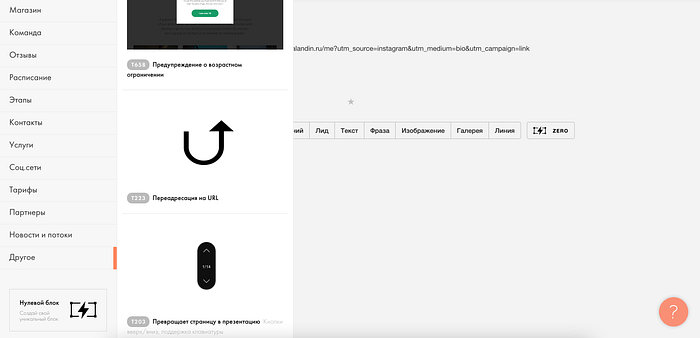
— Add a new block to it → Type “Other” → Block “Redirect to URL” (T223)
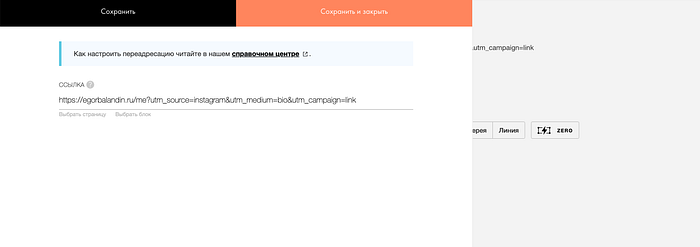
— Paste into this block the link to the page you want to redirect people to, with the UTM tag you need:
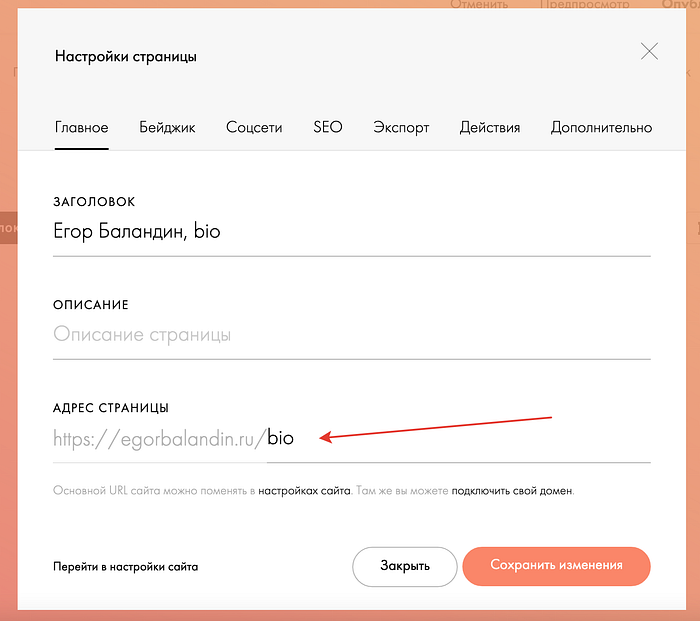
— Publish the page and give its URL the look you want:
Where to publish such short links?
-
In an Instagram bio
-
In a VK group description
-
In a Facebook community description
-
In SMS campaigns